
What a Website Health Check Looks For, and How to Fix What It Finds
Most small business owners only think about their website when something breaks. The phone stops ringing as often, a customer mentions the contact form did not work, or a competitor starts showing up above you on Google. By then, the problem has usually been there for months. So, what is a website health check? It is a structured review of how well your site loads, how easily Google can read it, how usable it is for every visitor, how secure it is, and how ready it is for AI search tools. Think of it as an inspection for the building your customers visit before they ever call you. At Joyify Collective, a digital marketing agency for local service businesses, our team runs these checks for businesses across the U.S., and this guide walks through exactly what we look for.
What Is a Website Health Check, and Why Does It Matter?
A website health check looks at your site the way Google and your customers do. It does not judge whether you like the colors or the logo. It measures the things that decide whether someone who finds you online turns into a phone call, a form fill, or a booked job.
For local service businesses, that matters more than most people realize. Your website is often the second stop after your Google Business Profile or an ad. If it loads slowly on a phone, hides the phone number, or sends mixed signals to Google about what you do and where you work, you pay for that traffic and lose the lead anyway.
Most health checks, including ours, are built around five areas: performance, SEO, accessibility, best practices, and AI readiness. Google’s own free tools, PageSpeed Insights and Lighthouse, score four of those areas from 0 to 100, which makes them a useful starting point. (Google for Developers) A good health check goes further by explaining what the scores mean for your business and what to fix first.
Performance: Does Your Site Load Fast Enough to Keep Visitors?
Speed is usually the first thing people think of, and for good reason. A visitor on a phone in a parking lot will not wait long for a slow page.
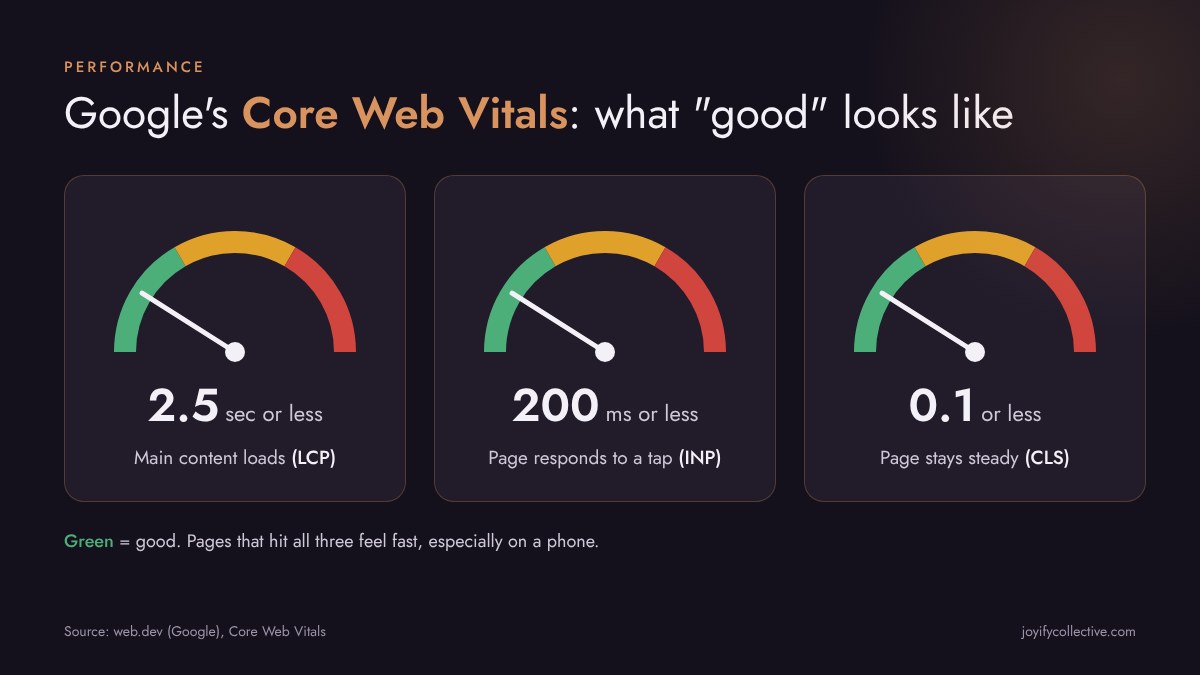
Google measures real-world speed with a set of metrics called Core Web Vitals. According to Google, a page offers a good result when:
- Largest Contentful Paint (LCP), the time it takes for the main content to appear, is 2.5 seconds or less
- Interaction to Next Paint (INP), how quickly the page responds when someone taps or clicks, is 200 milliseconds or less
- Cumulative Layout Shift (CLS), how much the page jumps around while it loads, is 0.1 or less
Common problems we find: oversized photos uploaded straight from a phone or camera, too many third-party scripts (chat widgets, old tracking codes, booking plugins), sliders and autoplay videos at the top of the page, and fonts loaded from several different sources.
How to fix them: resize and compress images, and use modern formats like WebP. Remove plugins and scripts you no longer use. Replace heavy sliders with one strong image and a clear headline. Ask your web host or developer whether caching is turned on. These changes are often small, but together they can make a noticeable difference, especially on mobile.
SEO: Can Google Find and Understand Your Pages?
A site can look great and still be close to invisible on Google. The SEO part of a health check looks at whether search engines can crawl your pages and understand what each one is about.
What a health check reviews:
- Whether important pages are indexed, or accidentally blocked
- Page titles and meta descriptions: missing, duplicated, or too long
- Headings: one clear H1 per page that says what the page is about
- Broken links and pages that return errors
- Whether an XML sitemap exists and is submitted in Google Search Console
- Whether each service you offer has its own page, or everything is crammed onto one
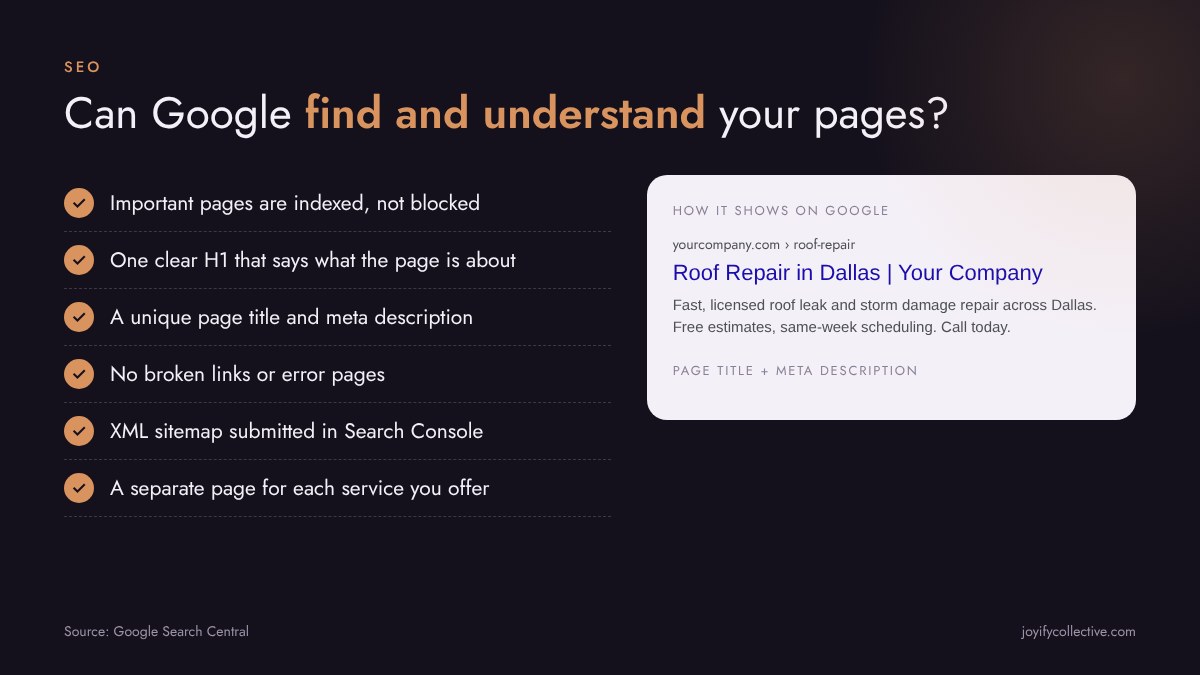
How to fix them: give every page a unique title that names the service and, where it makes sense, the area you serve. Write meta descriptions that give someone a reason to click. Fix or redirect broken links. If you offer five services, five focused pages will almost always do better than one long list. If you have not set up Google Search Console, do that first. It is free, and it shows you exactly which pages Google has found and which ones have problems. (Google Search Central)
Accessibility: Can Every Visitor Use Your Site?
Accessibility means people can use your website regardless of vision, hearing, motor skills, or the device they are on. It is the right thing to do, it reduces legal risk, and many of the fixes also make your site easier for everyone to use.
What a health check reviews:
- Text contrast. The Web Content Accessibility Guidelines (WCAG) call for a contrast ratio of at least 4.5:1 for normal body text. (W3C) Light gray text on a white background is one of the most common failures.
- Alt text on images, so screen readers can describe them
- Buttons and links that have clear labels, not just icons
- Tap targets large enough to press on a phone without hitting the wrong thing
- Forms with proper labels, so every field is clear
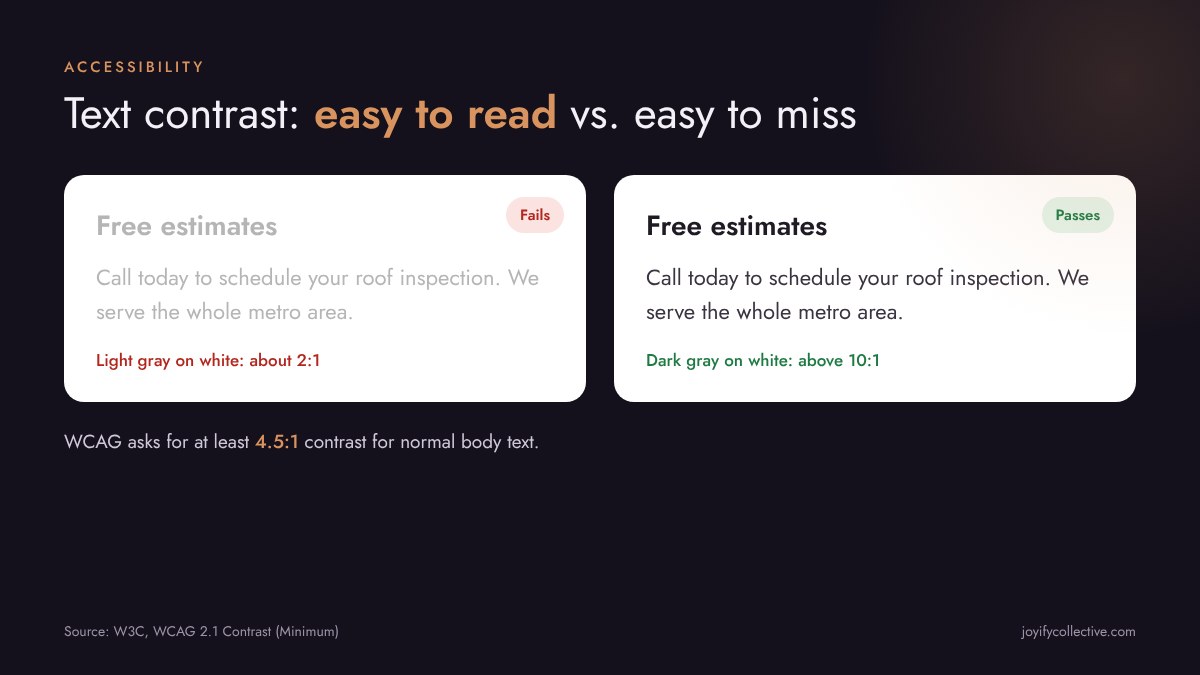
How to fix them: darken body text, add short descriptive alt text to every meaningful image, label icon buttons, and give buttons enough space. Most of these changes are quick in any modern website builder.
Best Practices: Is Your Site Secure and Working Properly?
This part of the check catches the issues that quietly erode trust or break things behind the scenes.
What a health check reviews:
- HTTPS on every page, so browsers do not warn visitors that your site is “not secure”
- Errors in the browser console that can break forms or buttons
- Outdated plugins, themes, or code libraries with known security problems
- Duplicate tracking codes that inflate your analytics numbers
- Whether contact forms actually send, and whether the phone number is tap-to-call on mobile
How to fix them: confirm your SSL certificate is active and set to renew. Update or remove outdated plugins. Make sure each tracking code (Google Analytics, Google Tag Manager, Meta pixel) is installed once, in one place. Then submit your own contact form and call your own number from your phone. It sounds simple, but a broken form is one of the most expensive problems a local business can have, because you rarely find out it happened.
AI Readiness: Can AI Search Tools Understand Your Business?
More people now get answers from AI tools like Google’s AI Overviews, ChatGPT, and Microsoft Copilot before they ever click a website. Those tools pull from sites that are clear, consistent, and well structured.
What a health check reviews:
- Structured data (schema markup) that tells search engines your business name, services, location, hours, and reviews in a format they can read directly
- Clear, direct answers to the questions customers actually ask, such as pricing factors, service areas, and timelines
- Consistent business name, address, and phone number across your site and your Google Business Profile
- FAQ sections that match what people search for
How to fix them: add LocalBusiness or Service schema to your pages, write clear, direct answers to your most common customer questions, and make sure your business details match everywhere they appear online. These steps help with traditional search too.
How to Prioritize What the Health Check Finds
A health check can return a long list, and not every item deserves the same urgency. Here is the order we usually recommend:
- Anything that stops leads. Broken forms, a phone number that is not tap-to-call, pages that do not load, or security warnings. Fix these first.
- Anything that stops Google from seeing your pages. Blocked or unindexed pages, missing titles, broken links.
- Mobile speed. Especially on the pages your ads and Google Business Profile send people to.
- Accessibility basics. Contrast, alt text, labels, and button sizes.
- AI readiness and polish. Schema, FAQs, and content that answers customer questions.
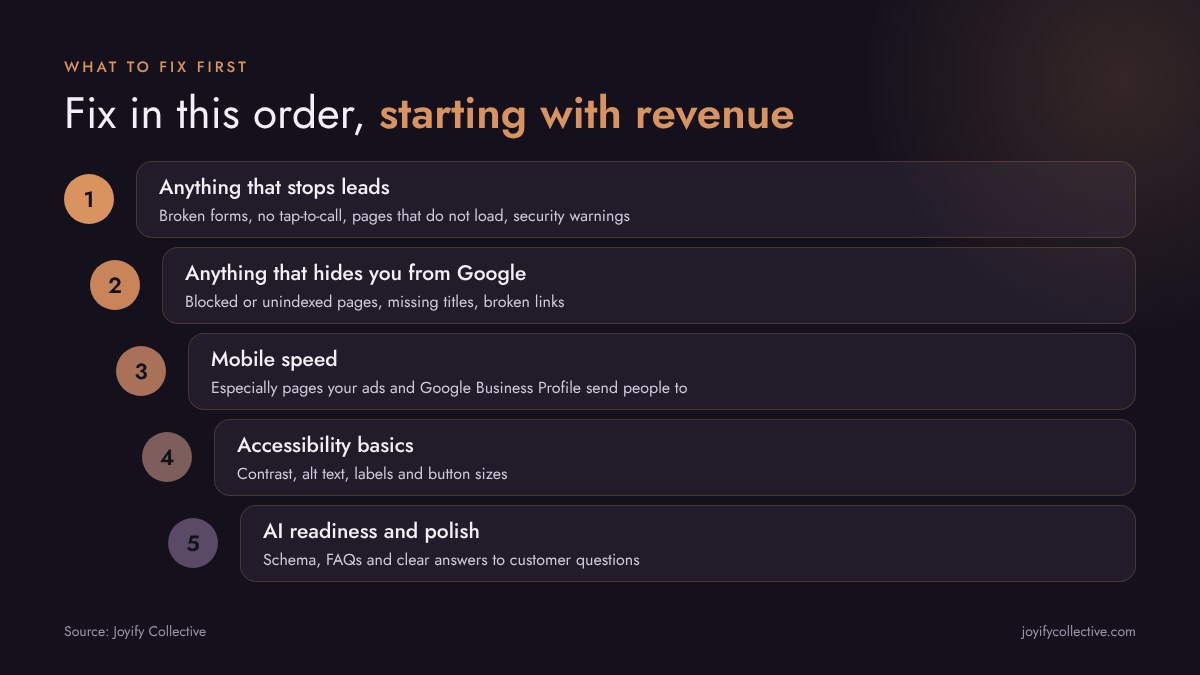
This order keeps the focus on revenue. A perfect speed score means very little if the contact form has been broken for three months.
Which Fixes Can You Do Yourself?
Many fixes are well within reach for a business owner with access to their website builder: compressing images, rewriting page titles, adding alt text, testing forms, and updating business hours. Others, like cleaning up scripts, adding schema markup, fixing indexing problems, or rebuilding a slow page, usually go faster with help.
A good health check report should tell you which is which, so you are not paying someone for a five-minute change or spending a weekend on something that needs a developer.
How Often Should You Run a Website Health Check?
A good rule of thumb is at least once or twice a year, plus any time you:
- Launch a new website or redesign
- Add new service pages or change your services
- Install new plugins, booking tools, or tracking codes
- Start or scale up a paid advertising campaign
- Notice fewer calls or form fills without an obvious reason
Websites drift over time. Plugins update, content gets added, and small issues pile up. Regular checks catch them before they cost you leads.
What Our Free Website Health Check Includes
At Joyify Collective, our free Website Health Check covers performance, SEO, accessibility, best practices, and AI readiness. Our team runs every check. You receive a report by email within two to three business days, with the issues ranked by what matters most and clear next steps. If you would like to walk through it together, you can book an optional call. There is no cost and no obligation.
The health check is also included in every Local Search Growth System plan, because ads, Google Business Profile, and SEO all work better when the website they send people to is in good shape. You can see everything we offer on our services page.
Conclusion
So, what is a website health check? It is a clear, honest look at whether your website is helping or hurting your business. It checks speed, visibility on Google, accessibility, security, and AI readiness, then tells you what to fix and in what order. If you cannot remember the last time someone looked under the hood of your site, now is a good time. Request your free Website Health Check and find out what your site is telling Google and your customers.
About the Author
Jessica Rikhlyuk is the founder of Joyify Collective, a women-owned digital marketing agency based in Dallas, Texas. She leads paid advertising and overall strategy for local service businesses and public agencies across the U.S., and her team runs every Joyify Website Health Check. Joyify Collective is a Google Partner, an SBA-certified Women-Owned Small Business, and a WBENC-certified Women’s Business Enterprise.
Nov 17, 2026